
Blog
E-commerce packaging with Packdroid
Design e-commerce packaging in Packdroid: choose a box, set dimensions, check artwork and prepare a supplier brief. Includes costs and packaging terms.
Published
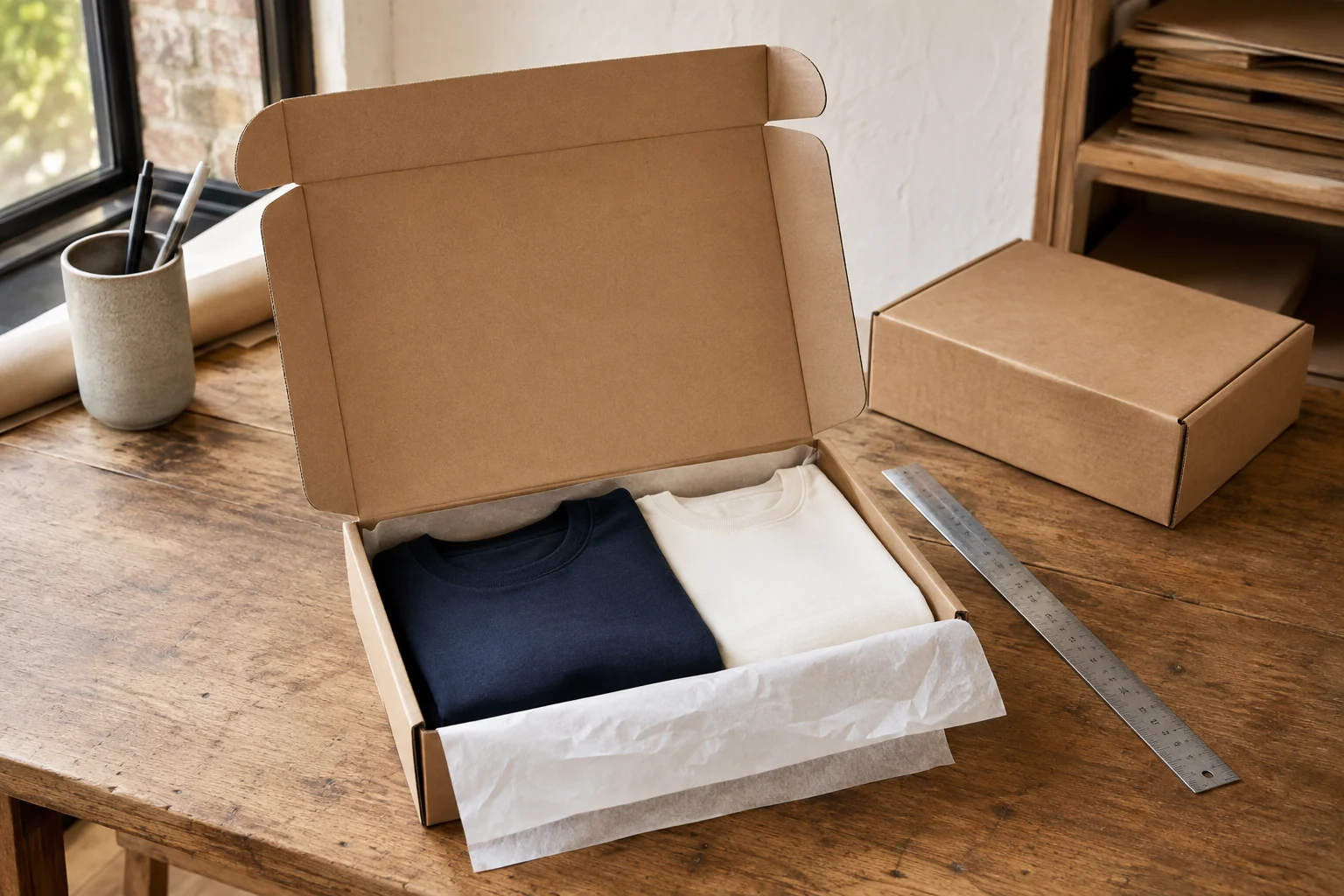
An order for two T-shirts should not need a box big enough for six. Yet choosing a smaller box gets complicated once you add tissue, a gift card, a supplier's minimum order quantity and the space a packer needs to close the lid.
Packdroid helps you turn those requirements into a packaging design you can inspect and discuss with a manufacturer. Choose a structure, enter its dimensions, review the flat dieline and check the folded shape where 3D preview is supported. Add your artwork to see how the print sits on the package. You have something specific to review before ordering samples or tooling.
For an online merchant, that can mean fewer rounds of “a little wider” with a supplier, a clearer brief for the designer and a better starting point for testing packaging costs. Here is a practical way to use it, whether you pack orders yourself or work with a fulfillment partner.
Start with the orders you ship most often
Pull a small sample of recent orders. Group them by what must fit in the same parcel: one item, a common two-item bundle, a gift set and the occasional larger basket. A SKU is your stock-keeping unit; a packaging size can serve several SKUs when their packed dimensions and protection needs are similar.
For each group, record the product dimensions, packed weight, protective materials and current box size. Add a short problem note: too much void fill, a crushed corner, a lid that bulges, or a gift message that gets lost under the product.
Start with one frequent order type. A separate custom box for every SKU can leave you with stacks of slow-moving packaging. Two or three useful sizes may be easier for the team to store, identify and replenish. Decide from your order mix, storage space and supplier quotations.
Match the structure to the journey
The customer-facing product carton and the shipping box have different jobs. A printed folding carton can hold a cosmetic bottle on a shelf while an outer corrugated box and suitable cushioning protect the order in transit.
| What you are packing | Where to start in Packdroid | What to check with a sample |
|---|---|---|
| Apparel or a compact accessory bundle | A hinged-lid mailer in the FEFCO family | Product fit, lid closure and how you will secure the parcel |
| A larger order containing several products | A regular slotted shipping box, such as FEFCO 0201 | Board specification, dividers, sealing and packed weight |
| An individual retail product | An ECMA folding-carton structure | Retention, opening direction and the outer shipping protection |
| A presentation or gift set | A rigid-box structure | Insert fit, assembly effort, cost and the outer shipper |
Browse the FEFCO corrugated box templates, ECMA folding cartons or rigid boxes. Read the construction notes before opening a template in the workspace.
FEFCO and ECMA codes give the supplier a shared reference for the construction. They do not specify a complete shipping solution: board grade, dimensions, protection and manufacturing tolerances still need agreement. The original references are the FEFCO code and ECMA's folding-carton code.
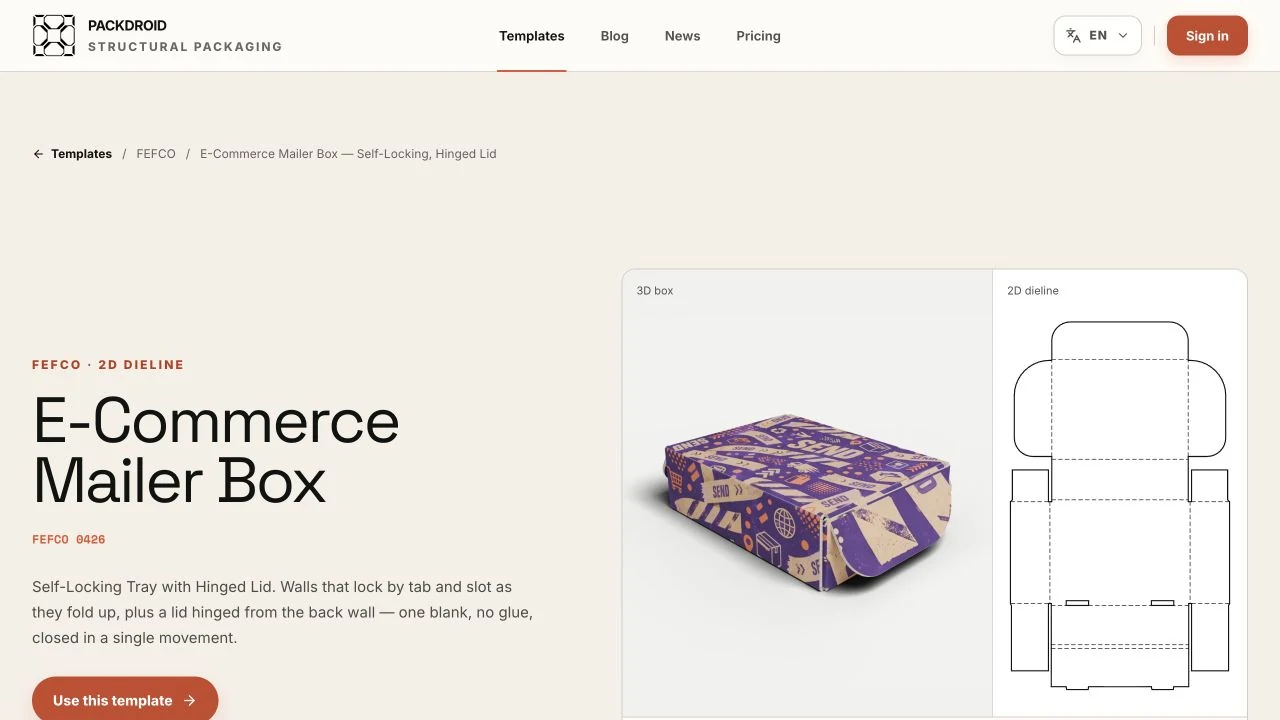
Actual Packdroid catalogue capture. The artwork is a catalogue example; the interactive fold controls are in the preview studio.
Enter the dimensions of the packed product
Measure the product as it will travel, with its wrap, insert or other protection. Check several units if thickness varies. A folded garment has less predictable dimensions than a rigid product carton.
Open your selected template and read its parameter labels. Where it asks for internal length, width and depth, use the usable space you need inside the erected box. Enter material thickness as requested by that template. Keep the supplier's outside dimensions in a separate field; the carrier will need the dimensions of the finished parcel.
Suppose a wrapped bundle measures 240 × 170 × 60 mm. An internal size of 250 × 180 × 70 mm might be a candidate for a sample. Those extra 10 mm on each axis are an illustrative allowance, not a universal fit rule. Flap geometry, inserts and the way you load the product can change what works.
Generate the dieline and inspect the panels, slots and closure. Use the 3D fold preview where available to examine proportions and the opening sequence. Then ask the manufacturer for a sample in the proposed material. A screen preview cannot tell you how tightly a particular batch of board will fold around your product.
Check the artwork where the customer will see it
Place your artwork on the flat dieline, then inspect it on the folded package in Packdroid. Look at the lid, the front edge and any message inside the box. Check whether a logo crosses a fold, a small line of text disappears under a flap, or a design reads upside down when the customer opens the parcel.
Leave a practical area for the shipping label. If your packing team covers the main illustration with a label on every order, change the layout before printing. Keep barcode and QR-code placement clear of folds and closures, and test the printed result with the equipment that will scan it.
Ask your printer for bleed, safe-area, color and finishing requirements. Bleed is the print that extends beyond the intended cut edge; the safe area keeps essential text and graphics away from cutting and folding tolerances. The printer should set those allowances for the job. The mockup is useful for placement, while a physical print proof lets you judge color and finish on the chosen stock.
Compare cost per packed order
The box price is one line in the calculation. Add protective material, tape, labels, packing labor and the carrier charge. For a fuller comparison, include storage, tooling and the cost of damaged orders or reshipments.
Package size can affect billable weight. FedEx, for example, explains that it compares dimensional weight with actual weight. Check the divisor, units, rounding and service rules in your own carrier agreement before estimating savings. See FedEx's explanation of dimensional weight.
As a volume example, an outside parcel size of 30 × 22 × 12 cm occupies 7,920 cm³. A candidate measuring 27 × 20 × 9 cm occupies 4,860 cm³, about 39% less volume. That does not establish a 39% freight saving. Both parcels might fall in the same price band, and the smaller one still has to protect the contents.
The following invented figures show how to compare two samples in a spreadsheet. They are not Packdroid results or supplier quotes; “CU” means any single currency unit used consistently.
| Cost per order | Current pack | Candidate pack |
|---|---|---|
| Box | 0.60 CU | 0.72 CU |
| Fill and tape | 0.22 CU | 0.10 CU |
| Packing labor | 0.30 CU | 0.20 CU |
| Subtotal before freight and other costs | 1.12 CU | 1.02 CU |
Here, the more expensive box gives a lower packing subtotal. Replace every number with a quote or an observation from your own packing bench. Measure assembly time over several orders, including replenishing materials and closing the parcel. Packdroid helps you prepare the candidate designs; calculate freight and operating costs with your carrier, supplier and own records.
Give the manufacturer one clear brief
Before exporting, ask which file format the manufacturer wants. Packdroid offers SVG, PDF and DXF dieline exports, subject to the available account access. Confirm scale, units, cut and crease interpretation, and whether artwork needs a separate print file. A PDF shared for review does not, by itself, establish approval to manufacture.
Send the same brief with every quotation request:
- Template name and exact structure code, plus a revision reference.
- Required internal dimensions, packed product dimensions and weight.
- Proposed material and thickness, with the board specification to be confirmed by the manufacturer.
- Product arrangement, insert requirements and a photo of the packed contents.
- Print layout, print sides, finishes and the shipping-label area.
- Order quantity, expected reorder quantities and requested delivery date.
- The questions to resolve in a sample: fit, closure, protection and packing time.
Ask for the minimum order quantity (MOQ), tooling charge, sample charge, lead time and reorder price separately. Keep the accepted dieline, print proof and supplier specification under the same revision reference. Give your fulfillment partner a simple packing instruction showing which products go in the box and how the contents are arranged.
Test one box before committing to a run
Pack the actual product into a physical sample. Open and close it, check pressure on the contents, and repeat the process with the person who will pack daily orders. Check whether the customer can open it without damaging the item and whether it can be closed again for a return.
Agree appropriate transit testing with the packaging supplier for the product and shipping route. A folded preview does not prove resistance to drops, compression or moisture. Record damage and returns during a controlled trial, alongside packing time and material use.
If the trial works, save the approved measurements and files for reorders. For the next bundle or seasonal sleeve, start from that record and check the changed product combination again. You can reuse a design decision without assuming that every new order fits it.
Packaging terms you will use with suppliers
| Term | Meaning in this workflow |
|---|---|
| Dieline | The flat layout showing the package's cut and crease geometry |
| Blank | The flat piece of material before it is erected |
| Crease or score | A feature that guides folding; agree the required process with the converter |
| Caliper | Material thickness, distinct from board grade or strength |
| Flute | The corrugated layer profile; specify it with the supplier |
| Insert | A fitted component that locates or separates the product |
| Void fill | Material used to occupy empty space around the contents |
| MOQ | The supplier's minimum order quantity |
| Lead time | The agreed interval until production or delivery; confirm which |
| 3PL | A third-party logistics provider that may store, pick, pack and dispatch your orders |
Choose one common order from your store, measure it with its protection in place, and find a box template in Packdroid. Prepare one candidate size and a supplier brief, then use the physical sample to decide what to change.